 Clean Utility Apps
How sessions work in Passeo
Sessions are the center of club activity in Passeo. They help organizers publish upcoming activities, track attendance, manage capacity, and handle credits in a consistent way.
What is a session?
A session is a scheduled club activity inside Passeo. It can represent a weekly meetup, a lesson, a volunteer event, a practice, or any recurring or one-time gathering your club wants to organize.
Each session can include details such as title, time, location, available spots, attendance status, and check-in availability. This gives members one clear place to understand what is happening and whether they can participate.
For members
See upcoming activities, review session details, and track whether you have checked in.
For organizers
Create structure, limit capacity when needed, and keep attendance records more consistent.
Check in to a session
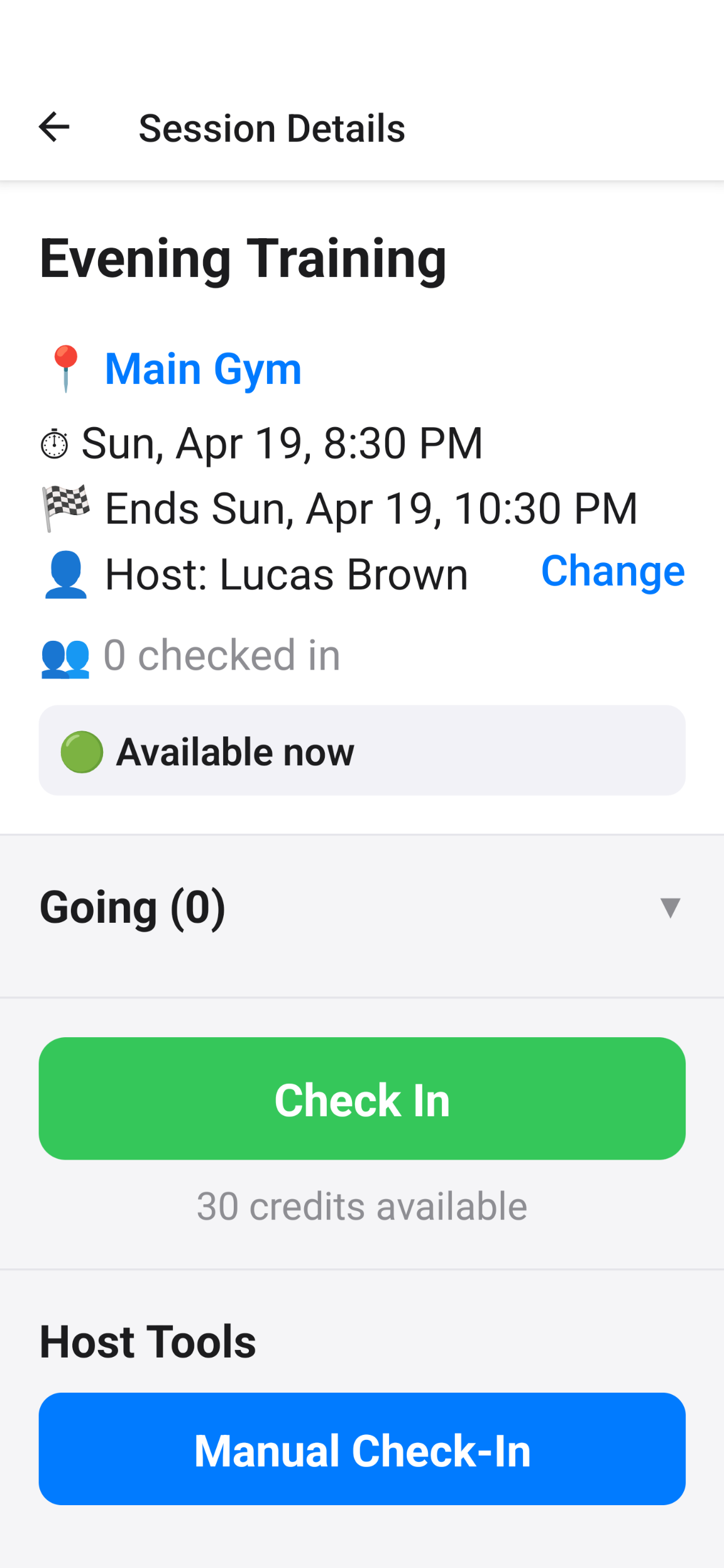
In Passeo, check-in is the main way attendance is recorded. Members open a session, review the details, and check in when they attend.
- Open the session details page.
- Review the time, location, and current availability.
- Tap the Check In button when the session is open.
- If credits are used by your club, the appropriate credits are deducted during check-in.
Who�s Going and session intents
Clubs can optionally enable a lightweight �Who�s Going� flow before a session starts. This lets members indicate interest in a session without using credits and without checking in yet.
Before the session
Members can mark that they plan to attend so organizers get a better sense of expected turnout.
At the actual session
Members still need to check in to record attendance. Intent is not the same as attendance.
Attendance and participation
Passeo can distinguish between headcount and participation. Depending on how your club is configured, a session may track who attended, how many times a member participated, or how many credits were used.
Check-ins
Useful when the club mainly wants a record of who showed up.
Participation
Useful when a club wants stronger reporting for credits, contribution, or repeated attendance.
This structure makes session reporting more useful for organizers while keeping the member flow simple.
Credits and participation usage
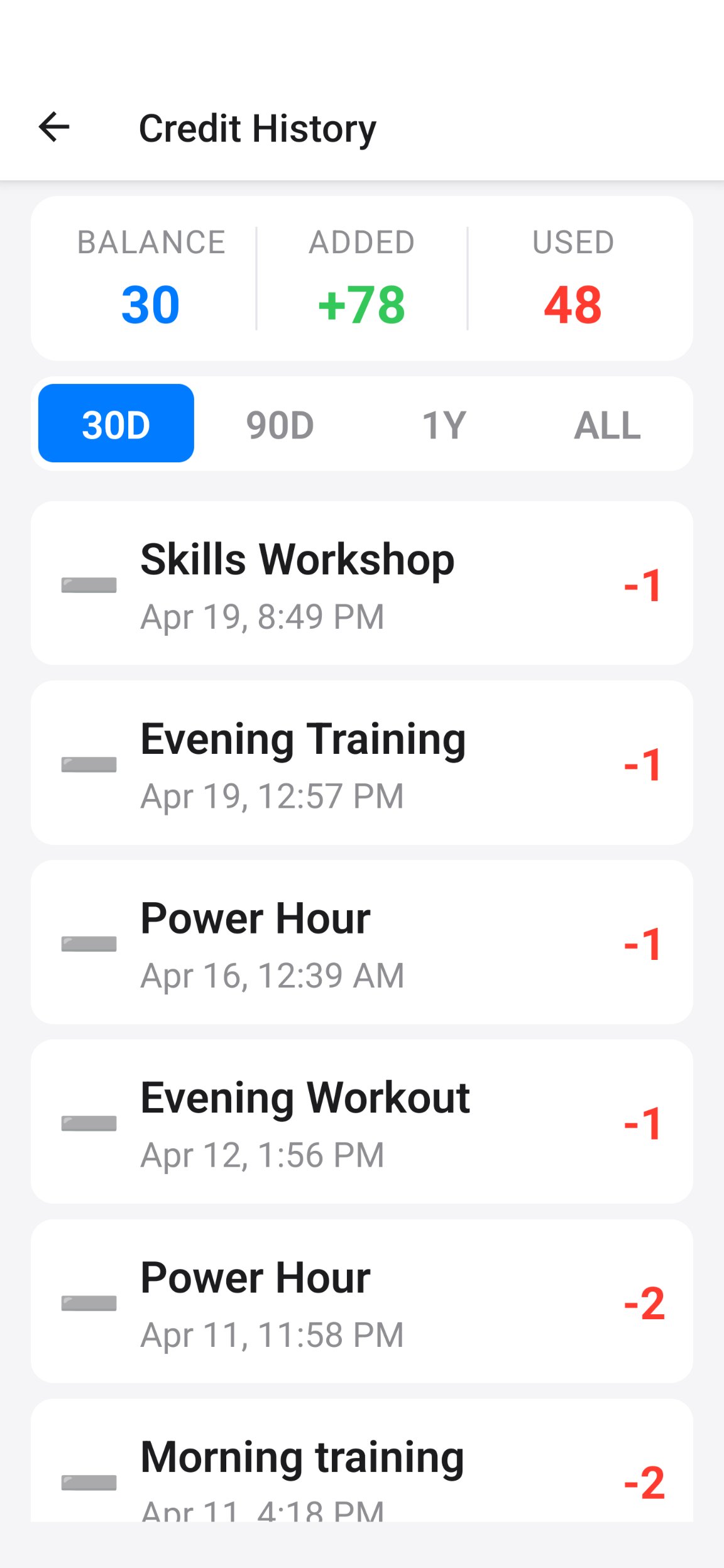
Some clubs use credits as part of attendance. When a member checks in, Passeo can deduct credits automatically based on the club�s setup and the participation being recorded.
- Credits can be viewed alongside membership details.
- Credit usage is tied to actual session participation.
- Organizers can review credit history and make adjustments when needed.
Standard check-in
A member checks in once and one participation record is created.
Multi-credit participation
When allowed by the club, check-in can record more than one credit for the same session.
Capacity and availability
Some sessions may have a maximum number of attendees. When a session reaches that limit, Passeo can prevent additional check-ins so organizers do not need to manage overbooking manually.
- Open sessions allow eligible members to check in.
- Full sessions prevent additional check-ins.
- Members can see whether a session is still available before they try to check in.
Manual check-in for hosts and owners
Organizers may also have tools to record attendance manually. This is useful when a member is present but cannot complete check-in on their own device, or when attendance needs to be corrected on the spot.
- Manual check-in helps keep attendance accurate.
- It can also support multi-credit participation when your club uses that model.
- Availability depends on the organizer�s role and club settings.
Past sessions and history
Passeo can keep a record of previous sessions so organizers can review attendance history and participation patterns over time.
Past sessions are useful for reporting, reconciliation, and credit review. They also help reduce confusion around repeat check-ins or missing attendance records.
For organizers
Review historical attendance, correct records when appropriate, and export data if needed.
For members
See whether a session was attended and better understand past participation.
Backfill and attendance corrections
Sometimes attendance needs to be recorded after the session has already happened. Passeo can support backfill within the limits configured by the club.
- Backfill is useful when a real attendee was missed during the live session.
- Clubs can control how far back attendance corrections are allowed.
- Organizer permissions and club rules determine who can do this.
Managing sessions
Hosts and owners may have permission to manage sessions, depending on club settings. Common management actions can include creating sessions, editing details, setting capacity, reviewing attendees, and handling operational attendance tasks.
Refer to the Roles guide to understand which roles can create and manage sessions in your club.